Sovereign AI in Nextcloud: The Synaplan AI Assistant App (v1.4.0)
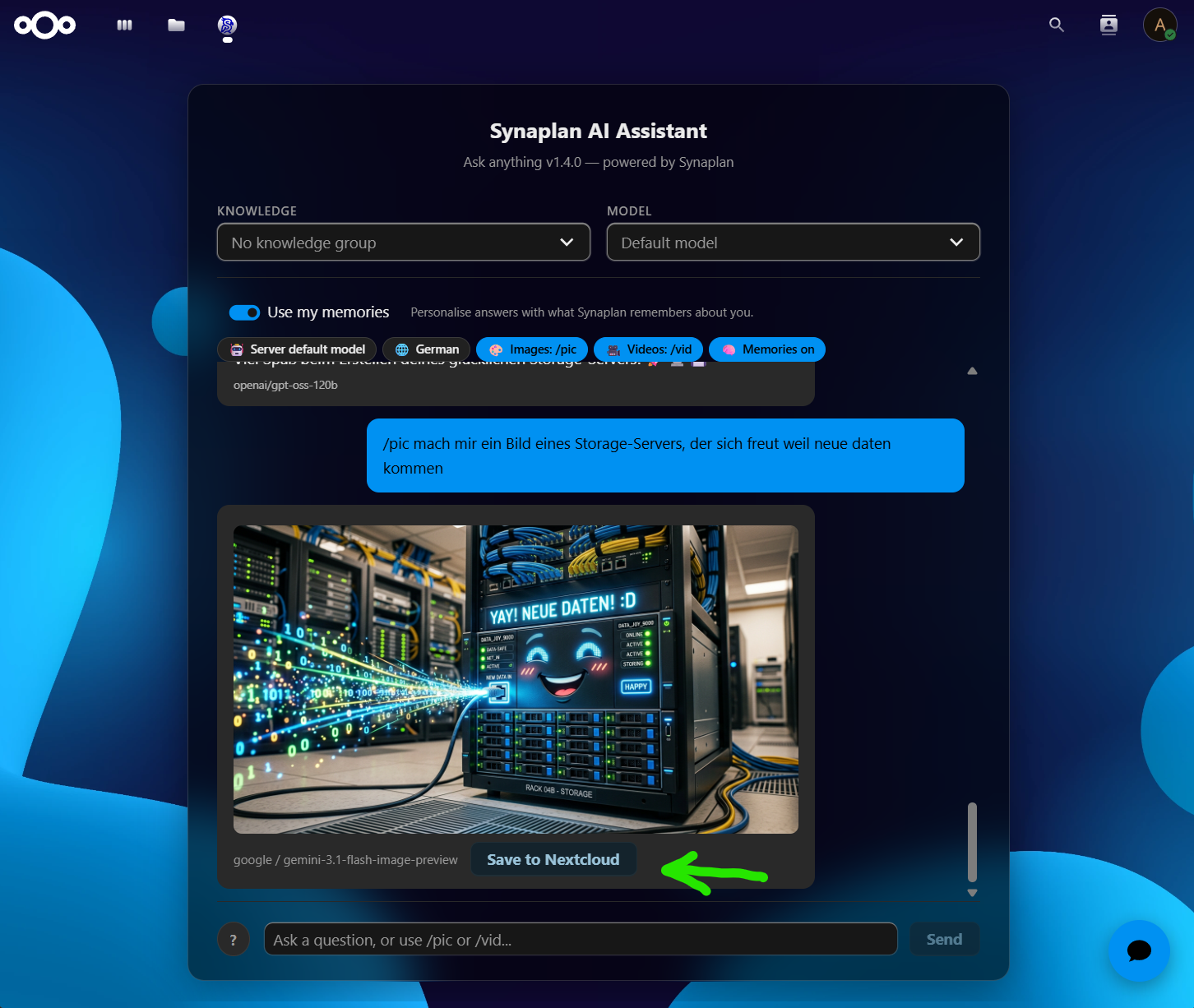
The Synaplan AI Assistant for Nextcloud is here. With the new app release (v1.4.0), your whole team gets a complete AI workspace right inside Nextcloud — chat with any model, ground answers in your own knowledge, generate images and videos, and save the results straight back to your files. Nothing has to leave your stack. This is sovereign AI, exactly where it belongs: next to your documents.
AI with Nextcloud — without giving up control
"AI in the cloud" usually means shipping your files off to someone else's servers. Synaplan turns that around. The assistant talks to your Synaplan instance — self-hosted or in a sovereign European cloud — so your prompts, documents and generated media stay under your governance and your GDPR rules. Same Nextcloud you already trust, now with a sovereign AI brain attached.
What the app does
- Ask anything, with any model. Choose the model per conversation — a server default, or OpenAI, Anthropic, Gemini, Groq, or a fully local Ollama model. One assistant, every LLM.
- Your knowledge, not the open internet. Pick a Knowledge group to ground answers in your own documents via RAG, instead of generic web data.
- Memories that personalise. Switch on Use my memories and the assistant remembers context about you and your work across sessions — privately, in your instance.
- Generate images with
/pic. Describe what you need and get an image back in the chat, powered by your chosen image model. - Generate videos with
/vid. The same flow for short video clips. - Save to Nextcloud in one click. Every generated asset has a Save to Nextcloud button — no downloads, no re-uploads.
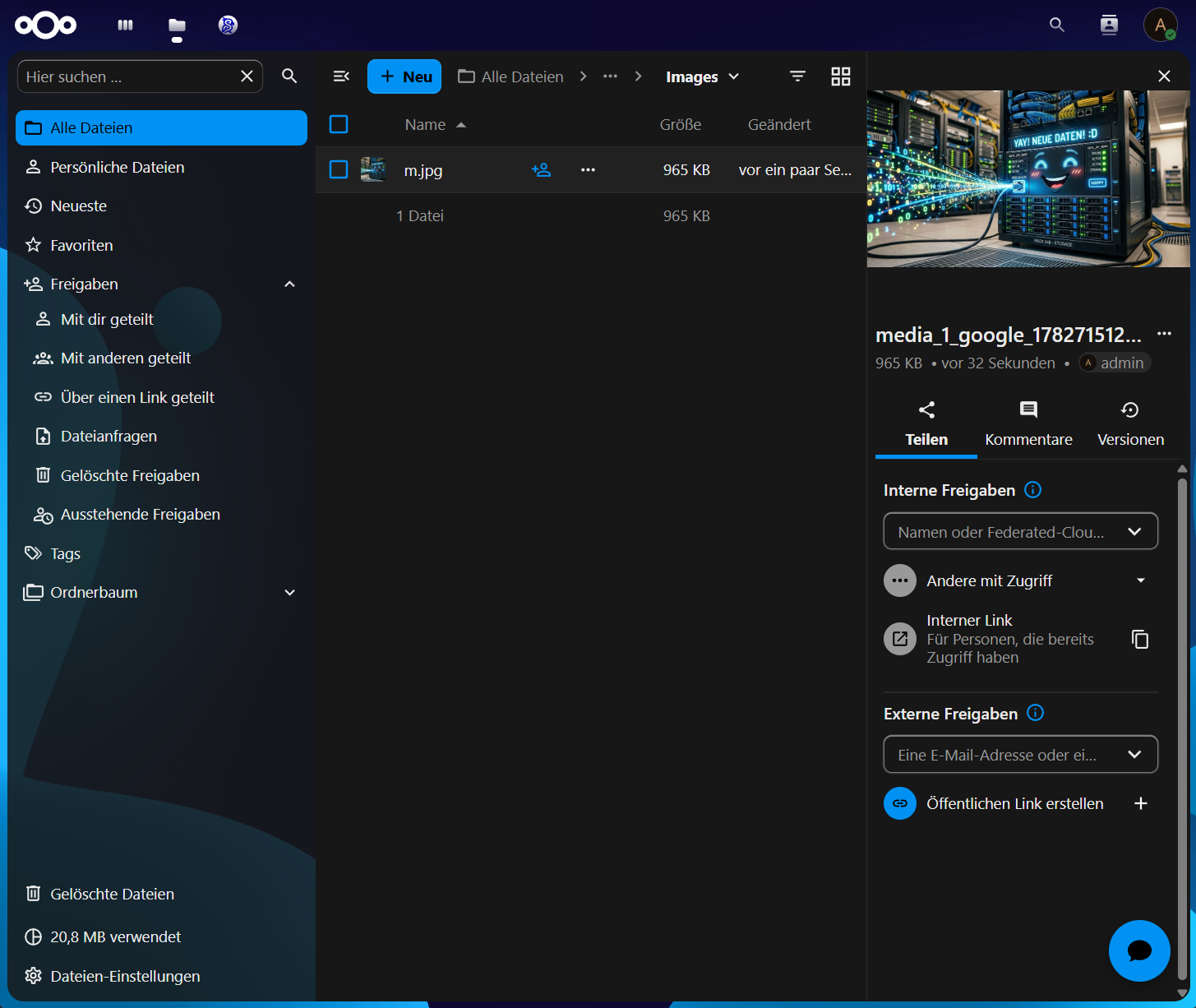
From prompt to shareable file in seconds
In the example above, an image created from a simple /pic prompt lands directly in the Nextcloud Images folder. From there it is just a normal Nextcloud file: version it, comment on it, and share it internally or via an external public link — using the Nextcloud permissions and audit trail you already rely on. The AI step disappears into your existing workflow instead of becoming yet another silo.
Why sovereign AI matters
For public administration, healthcare, and regulated industries, the question is never "can AI do this?" — it is "where does the data go?" By keeping generation, retrieval and memory inside your own Synaplan + Nextcloud, you get the productivity of modern LLMs and full data sovereignty: open source, self-hostable, and GDPR-compliant by design.
Get started
The Synaplan AI Assistant is available in the Nextcloud App Store — install it straight from your Nextcloud apps page (supported on Nextcloud 30–34), then connect it to your Synaplan workspace. Point it at your own instance, pick your models, choose your knowledge groups — and your team has sovereign AI inside the tools they use every day.
- Install: Synaplan Integration on the Nextcloud App Store
- Source code (open source): metadist/synaplan-nextcloud on GitHub
- Learn more: synaplan.com