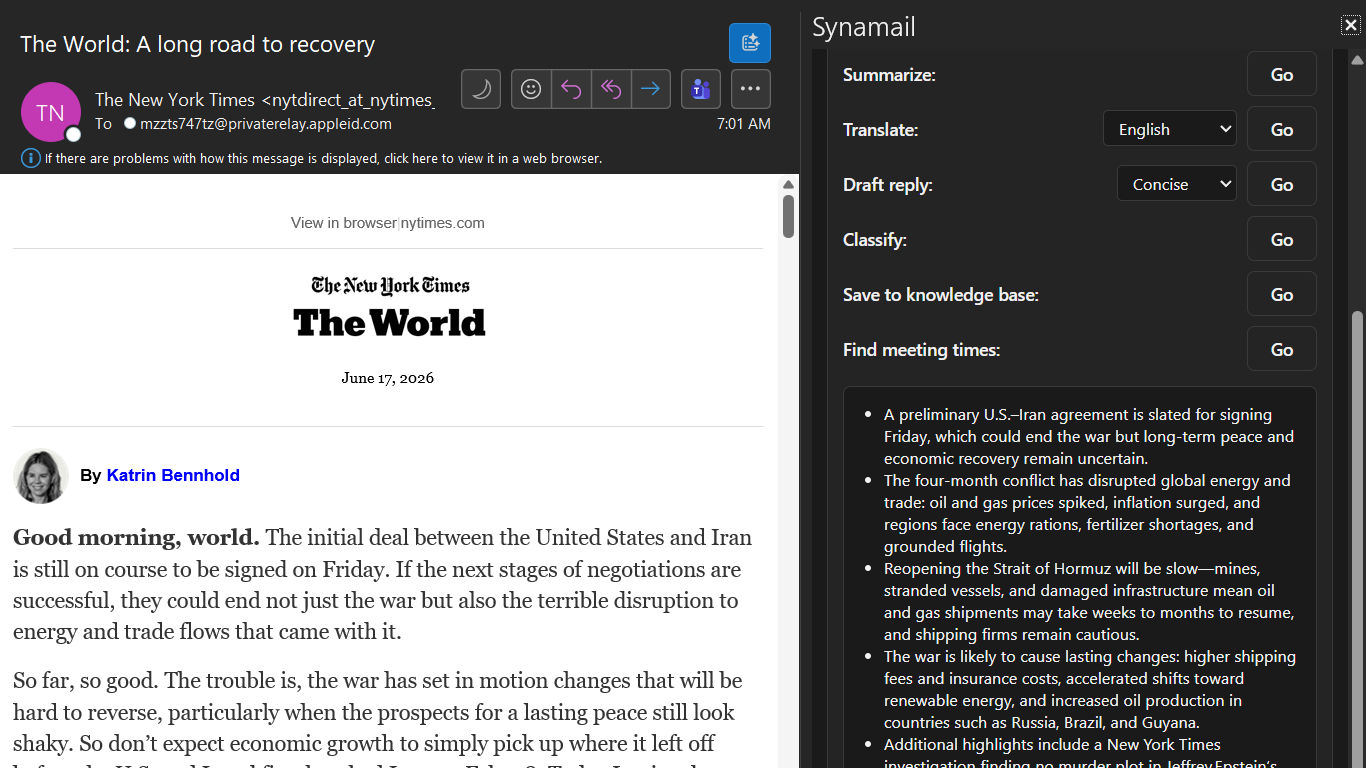
Synamail: Your Synaplan AI workspace, right inside Outlook
Email is where most of us spend our day — and it's also where the most repetitive work piles up: long threads to digest, messages in the wrong language, replies that need the right tone, dates to pin down, things worth keeping. Synamail brings your Synaplan AI workspace straight into Outlook, so all of that happens without leaving your inbox.
Synamail is an open-source Outlook add-in (task pane + ribbon commands) that connects your Outlook client to a Synaplan workspace. Open an email, click an action, and the work is done by your Synaplan server — not by a black box you can't see into.
What you can do
- Summarise any email or long thread in seconds.
- Translate messages into your preferred language.
- Draft replies in the right tone — concise, friendly, formal — ready to edit and send.
- Classify messages and find meeting times proposed inside an email.
- Ask follow-up questions about an email, including image/vision analysis of attachments.
- Save emails and attachments to your searchable Synaplan knowledge base.
- Contact AI Profiling (optional): build a rolling, AI-generated summary of a contact — stored only in your own workspace and deletable at any time.
Private by design — it acts only when you click
Synamail never reads your mailbox in the background and never sends mail on its own. It acts only when you click an action, and each action sends just the one email you chose to your Synaplan workspace, where the processing happens.
The API key Synamail stores lives per-mailbox, is encrypted at rest by Exchange, and can be revoked any time from the Synaplan web app. On the managed service, your data is stored and processed in your own Synaplan workspace on servers in Germany.
Bring your own server — connect Synamail to your OWN Synaplan
This is the part we're most proud of: Synamail is not locked to our cloud. You can install the add-in into your own Outlook and point it at your own self-hosted Synaplan instance. In Settings → Synaplan instance, just enter the URL of your server before signing in — for example your internal https://synaplan.mycompany.tld — and every action runs against your infrastructure, with the AI models you configured.
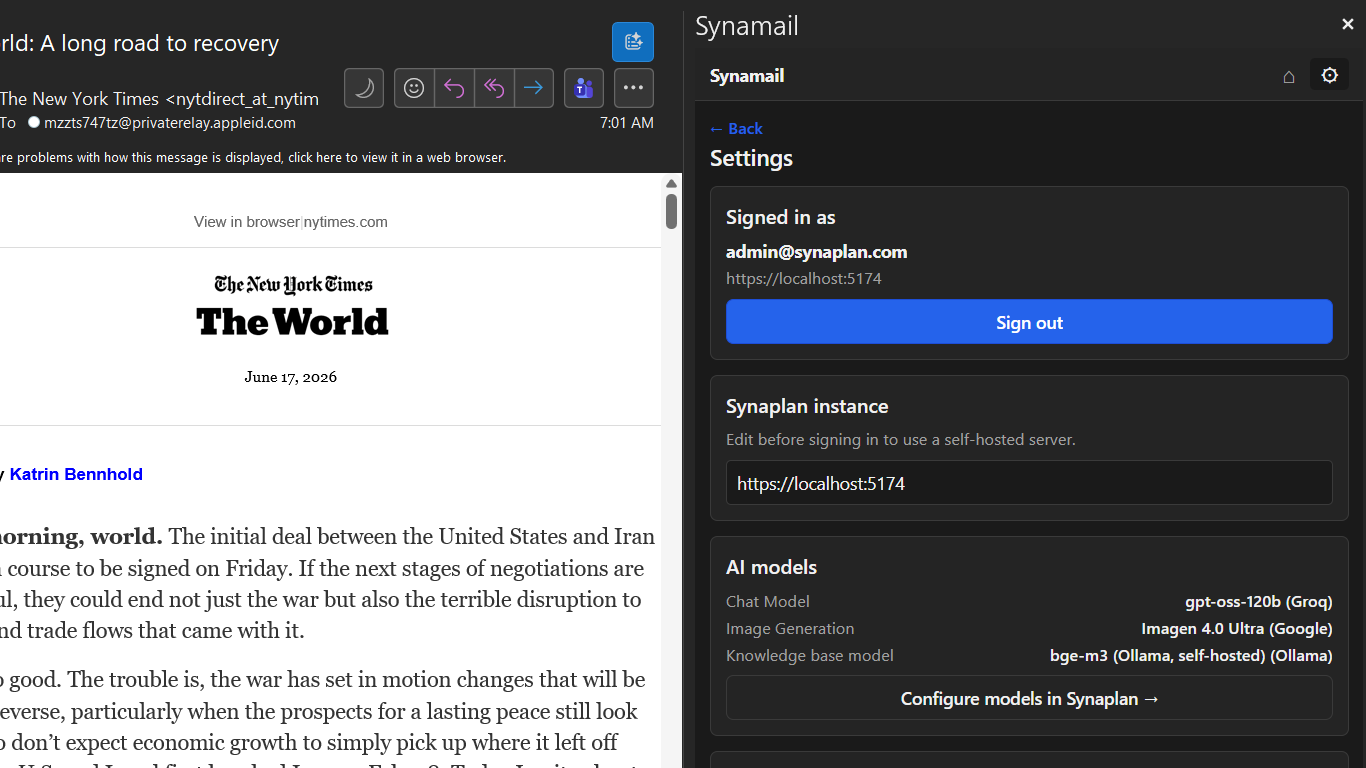
Because the heavy lifting happens on your Synaplan server, the models are yours to choose: a hosted chat model via Groq, OpenAI or Anthropic, local open-source models through Ollama, your own image generation, and your own embedding model for the knowledge base. Synaplan routes each request to the right model — Synamail just gives Outlook a button for it.
Open source
Synamail and its Synaplan plugin are licensed under the Apache License 2.0, and the full source code is available any time on GitHub at github.com/metadist/Synamail. Read it, audit it, fork it, or contribute back.
Requirements & supported clients
All you need is a free Synaplan account at web.synaplan.com — or your own self-hosted Synaplan instance. Synamail works in:
- Outlook on the web (Windows, Mac, and Linux)
- New Outlook for Windows
- Classic Outlook 2024 (Windows)
- Outlook on Mac
Get started
Grab the add-in and its setup instructions on GitHub, sign in with a free Synaplan account or your self-hosted server URL, and your inbox just got an AI workspace. We'd love your feedback — and your pull requests.