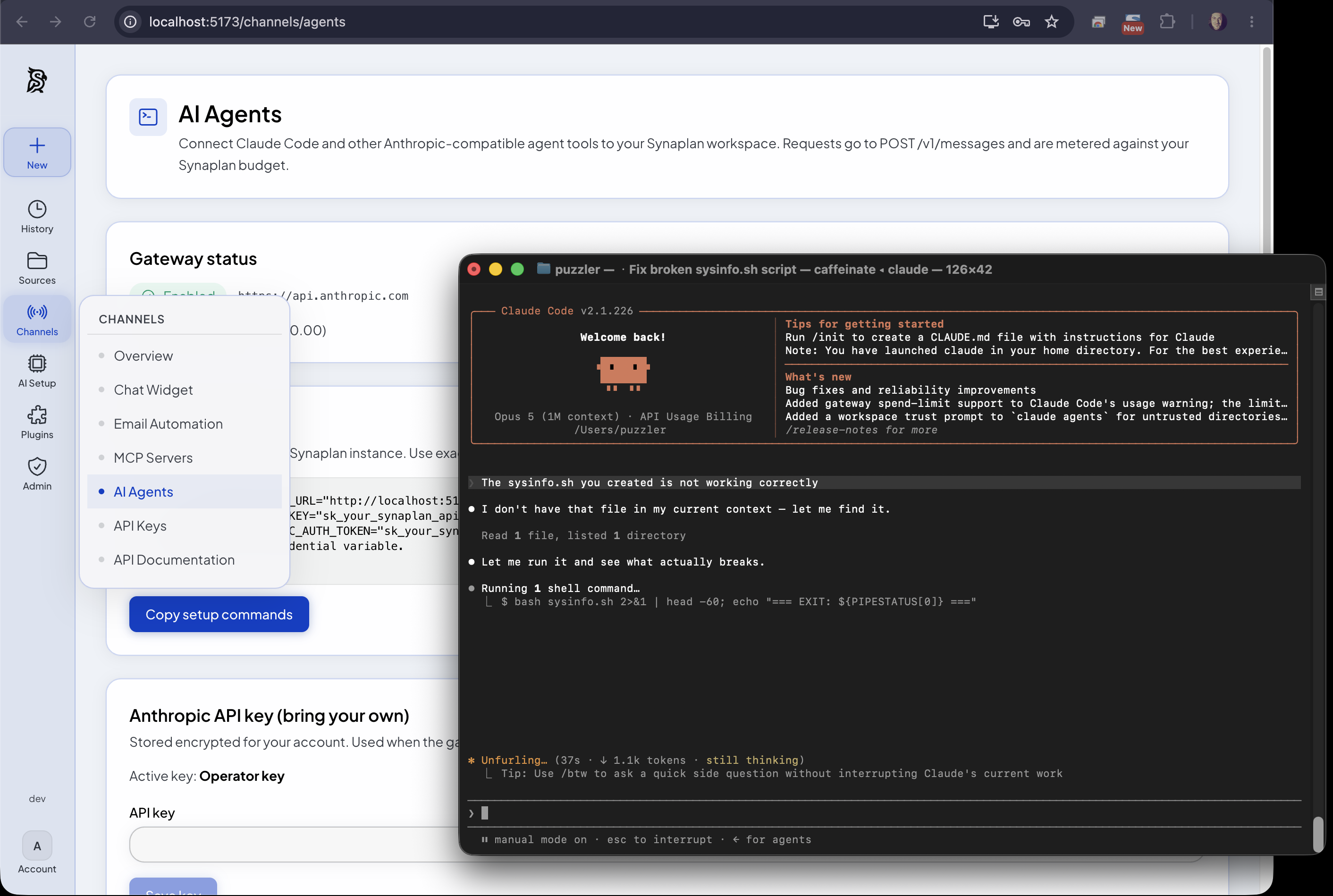
Use Synaplan as Your Claude Code Backend
Claude Code has quickly become a favourite coding agent — but in a company you rarely want every developer talking straight to a single vendor API. You want a control plane: one place to choose models, watch tokens, enforce budgets, and keep the door open when the AI landscape shifts again.
That is exactly what Synaplan now does. You can point Claude Code at your Synaplan instance and run it through Synaplan’s Anthropic-compatible Messages gateway — with full visibility in the UI, including short session summaries such as “User tries to create a shell script to rename files”.
Claude Code, routed through Synaplan
Set two environment variables and start Claude as usual:
export ANTHROPIC_BASE_URL="https://your-synaplan-host"
export ANTHROPIC_API_KEY="sk_your_synaplan_api_key"
claude
Under the hood Claude Code still speaks Anthropic’s /v1/messages protocol. Synaplan answers that protocol as a gateway: auth with your Synaplan API key, metering as API_CHAT, rate limits, and the same Channels → AI Agents settings you already use for other agent traffic.
Any registered model behind the agent
Here is the openness that closed platforms cannot match. With model aliases you can keep using Claude Code’s familiar client while Synaplan routes the work to any model in your catalogue — Anthropic, Google Gemini, ChatGPT / OpenAI, or other providers you have registered.
That means a team can:
- keep Claude Code as the day-to-day agent UI
- swap the backend model when cost, latency, or data residency demands it
- try Gemini or GPT on the same workflow without rewriting tooling
Professional AI management is not “pick one vendor and hope”. It is a control plane that lets you change the engine without changing how people work.
Token control and cost monitoring
Because every Claude Code turn goes through Synaplan, you get what enterprises actually need:
- Session summaries — readable labels for what an agent session is doing, not an opaque stream of raw prompts
- Token and cost metering — usage recorded centrally so budgets and reporting stay honest
- Budget notices — optional warnings when a user approaches their limit
Developers keep a fast agent. Finance and IT keep a ledger.
Why only open source keeps up
AI expands weekly: new agents, new protocols, new model families, new compliance rules. A proprietary black box cannot be opened and adapted when Claude Code (or the next tool) changes how it talks to the API.
Synaplan is open source on purpose. The Messages gateway, the model catalogue, the metering, the UI — all of it can be inspected, extended, and self-hosted. That is how a company stays in control while the ecosystem keeps moving: you own the control plane, so you can alter it.
Closed SaaS will always trail the next protocol. Professional open source is built to be changed.
Get started
- Create an API key in Synaplan (Channels → API Keys)
- Enable the Messages gateway under Channels → AI Agents
- Point Claude Code at your host with
ANTHROPIC_BASE_URLand your Synaplan key - Optionally map Claude Code model IDs to Gemini, OpenAI, or other catalogue models
Read the announcement on GitHub Discussion #1474, the technical guide in the Synaplan docs, or try it on web.synaplan.com.